Spend less time assembling reports. More time serving customers.
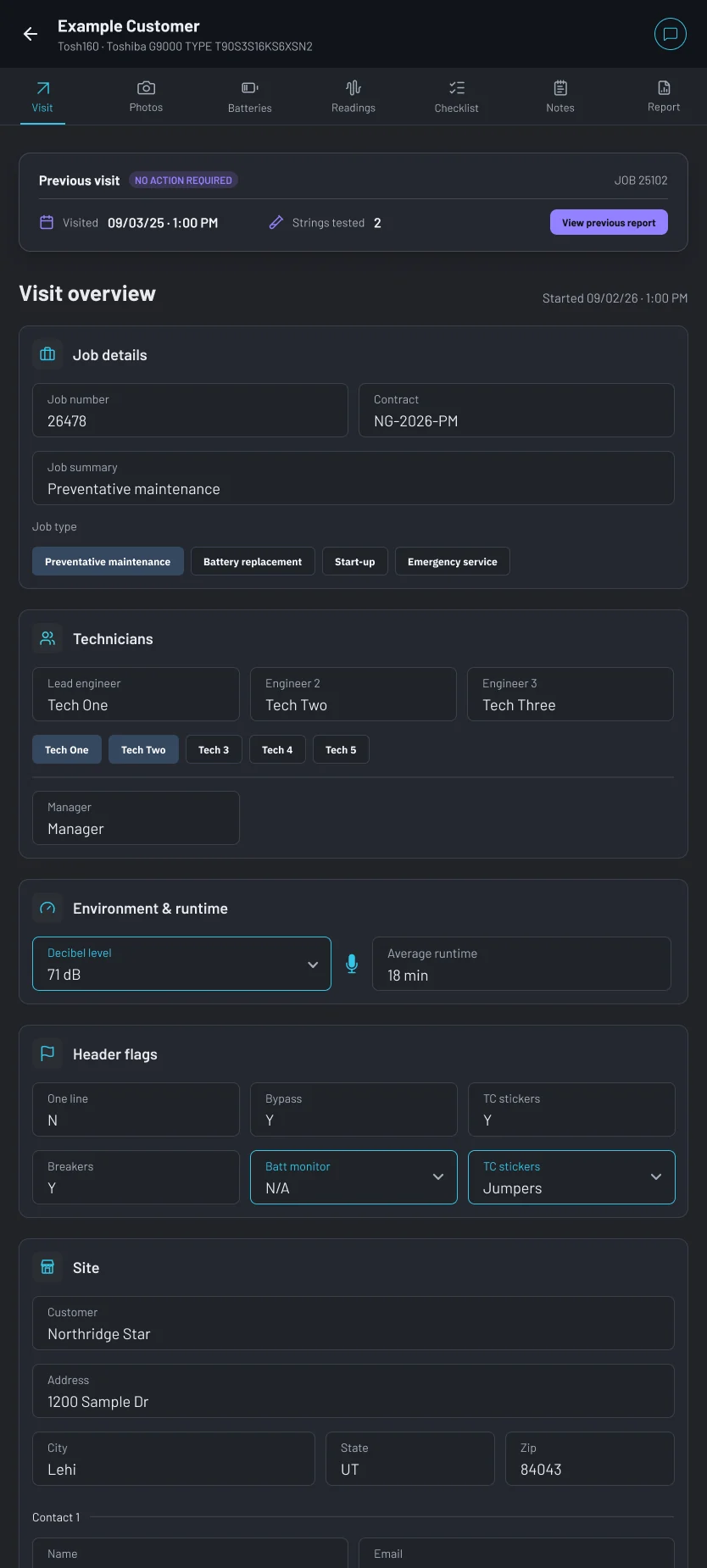
Connect your battery tester to the tablet, snap a photo of any UPS or Generex screen, and let OHMEE turn both into a finished report.
Work gets done in the field.
Reports get stuck at a desk.
Before OHMEE
- Hours lost after every shiftTechnicians finish on-site, then spend extra time recreating what they already measured.
- Invoices stuck waiting on paperworkThe job is done but billing can't move until someone types up the findings.
- Missing information delays deliveryFollow up on incomplete readings or visit details after the technician has left the site
- Customers left waiting for answersSite managers want results immediately. Manual reports don't move that fast.
With OHMEE
- Reports complete before you leave the siteBattery tester data, technician notes, and site details flow straight into the report.
- Invoices can go out the same dayThe report is finished when the job is finished. No backlog, no delay.
- Every reading captured automaticallyIncomplete data gets flagged on-site so nothing is missing when the report lands.
- Customers get answers immediatelySite managers can see results before your truck leaves the parking lot.
How OHMEE transforms operations
From predicting battery replacement to building the report itself, see exactly how OHMEE handles the work your team used to do by hand.
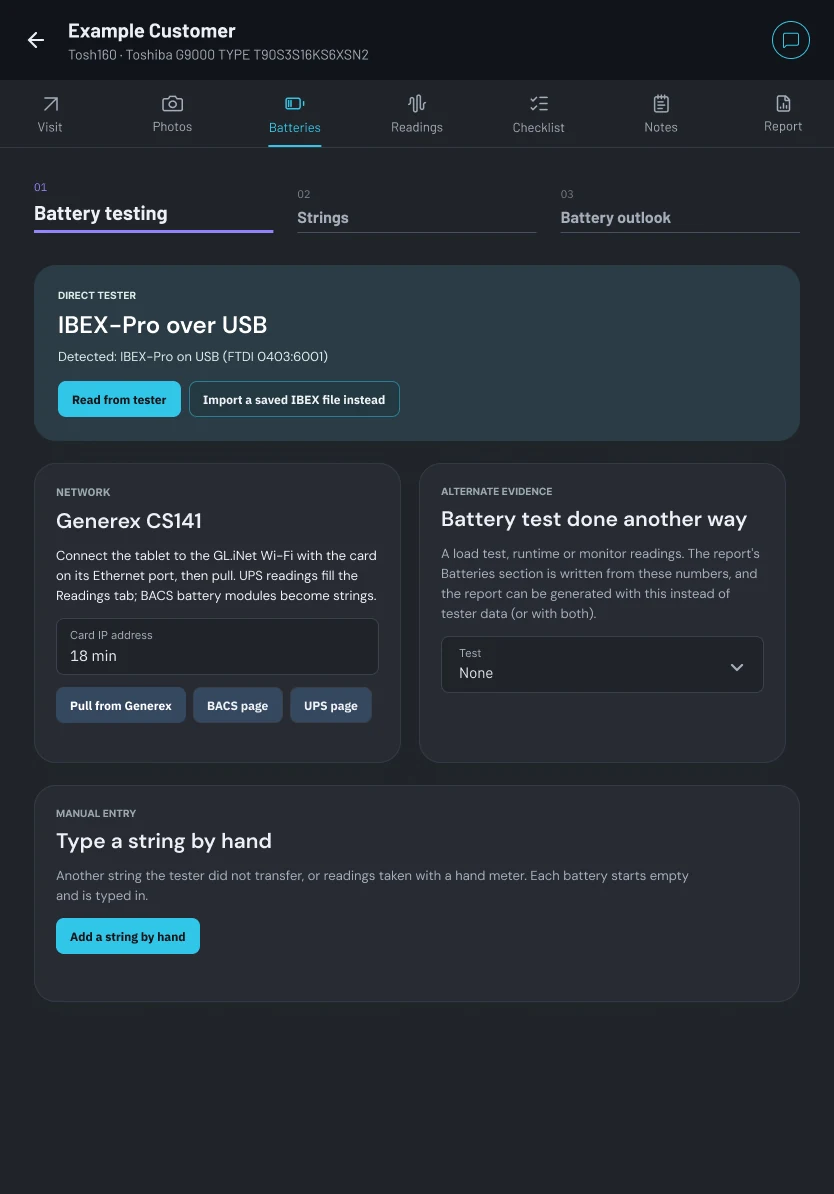
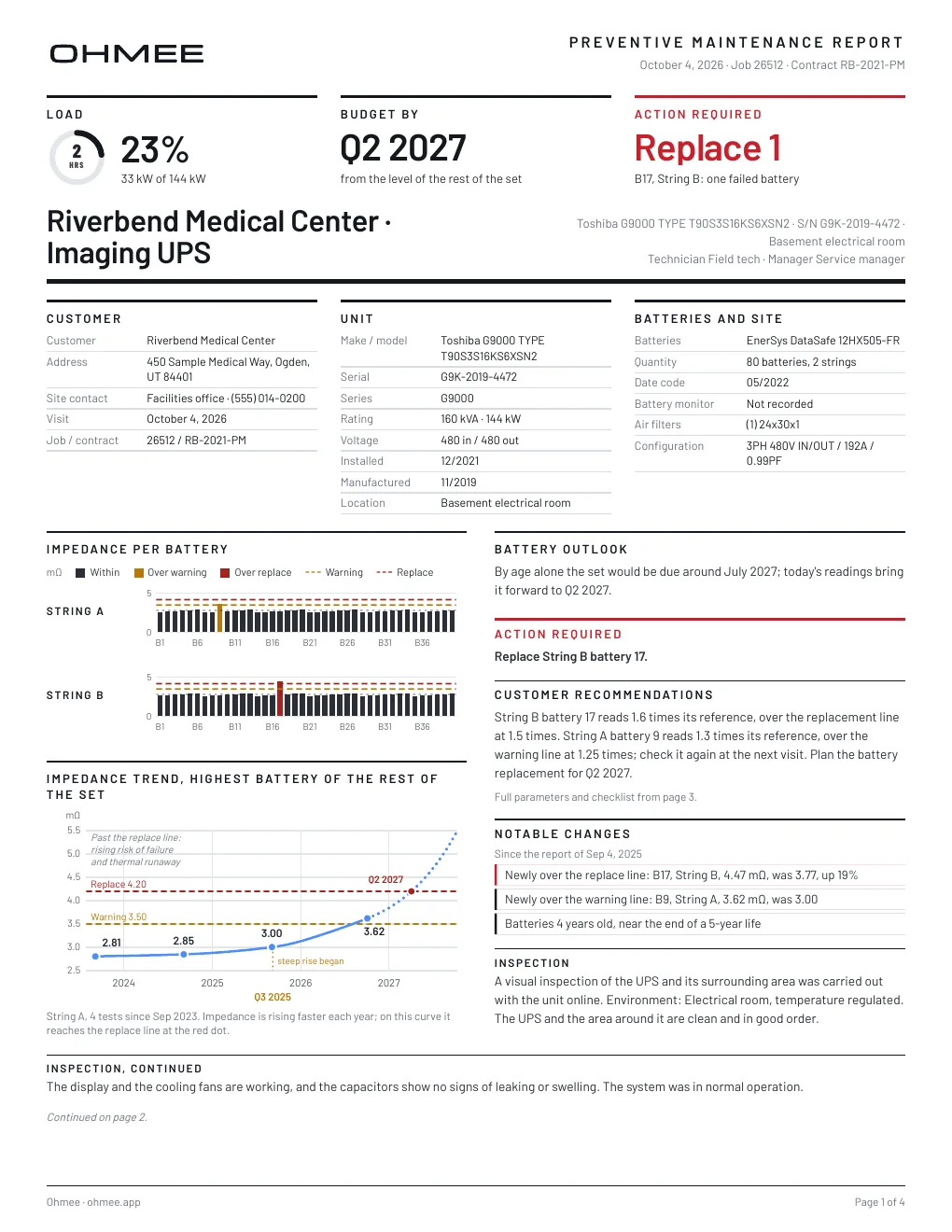
Know when a battery set needs replacement
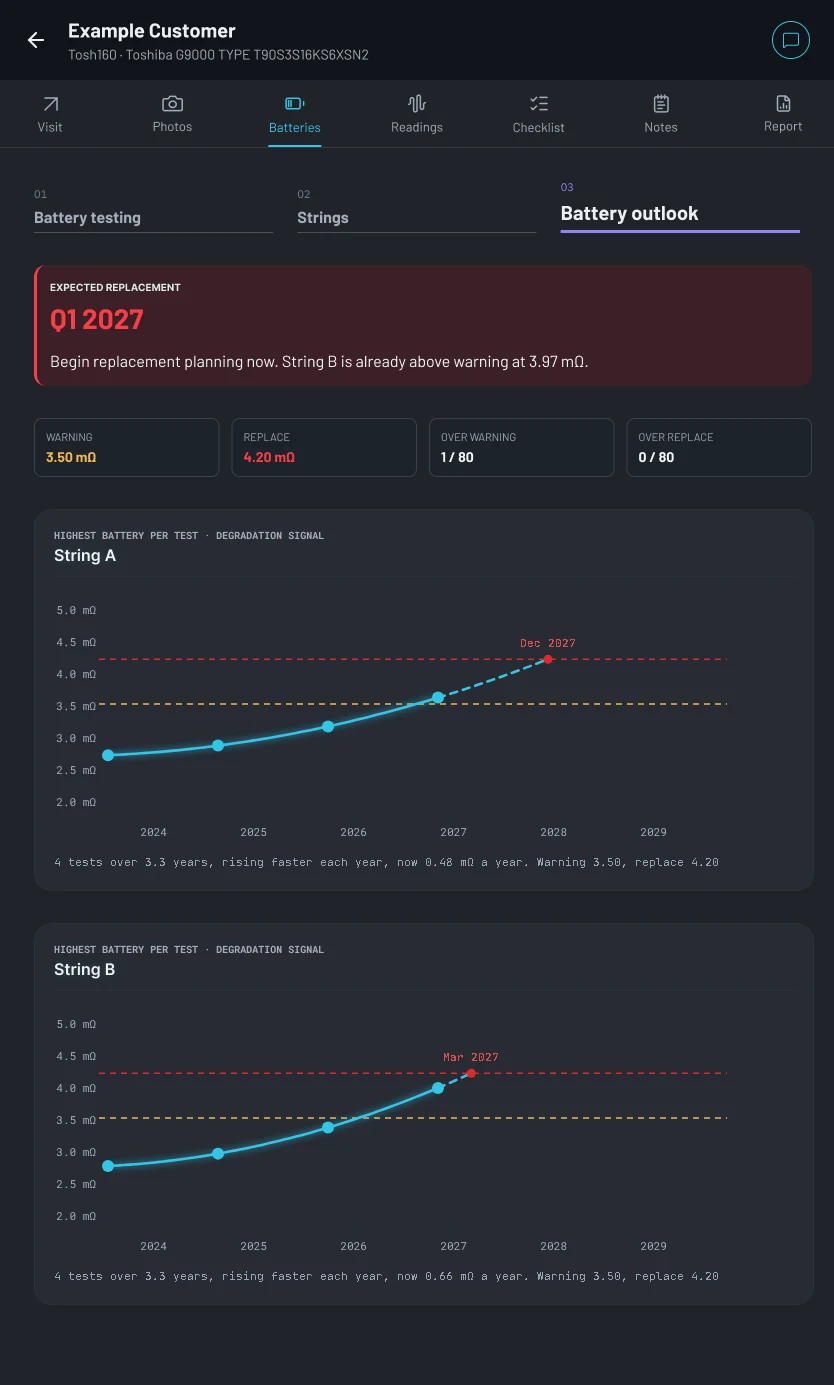
OHMEE compares current string readings with previous service data to track battery performance over time. When a set approaches its replacement threshold, the report shows the projected replacement timeframe down to the quarter.
- Compare current readings with previous service visits to show battery performance over time
- See projected replacement timing by quarter
- Give customers a clear timeline for replacement planning
Turn equipment photos into report-ready data
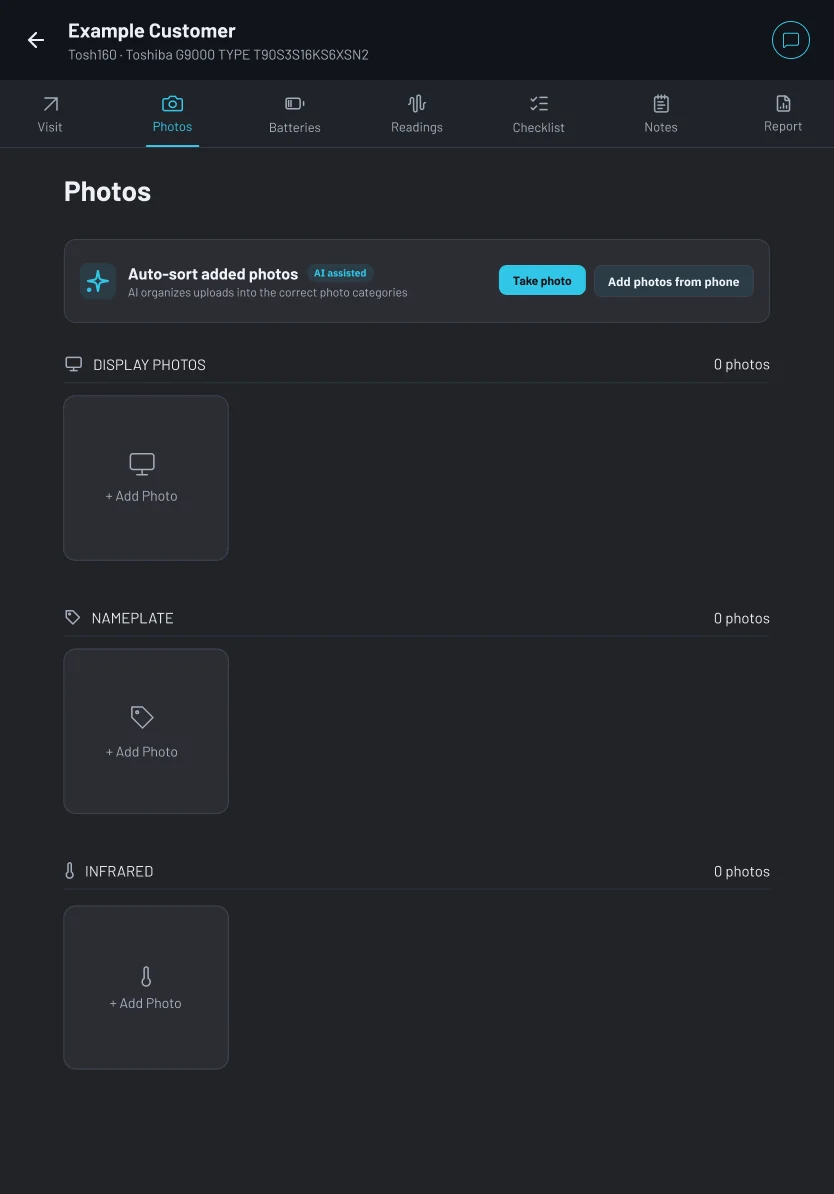
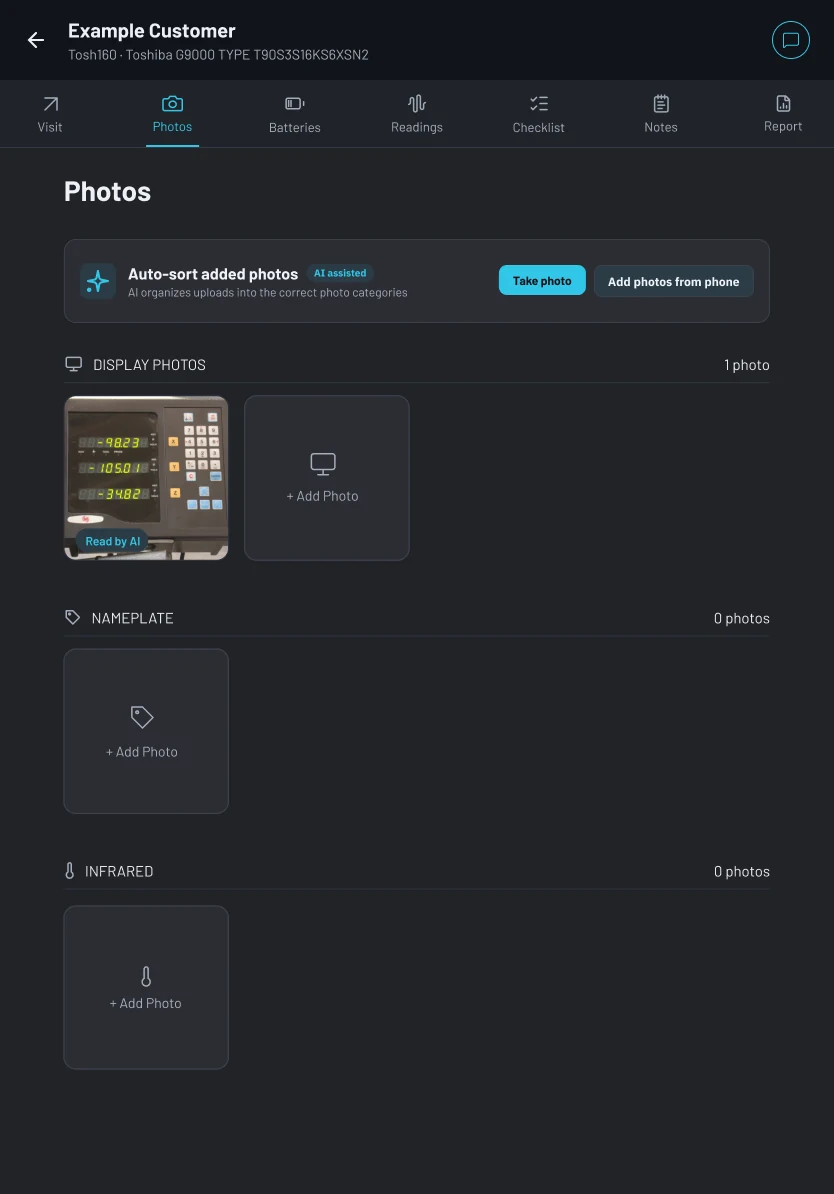
Take a photo of a UPS display, Generex page, or equipment label. OHMEE’s AI analyzes the image, extracts relevant information, and drafts the right report fields for technician review.
- Extract data from UPS and Generex screens
- Reduce manual entry and missed details
- Keep visual evidence connected to the final report
Reports built as work is completed
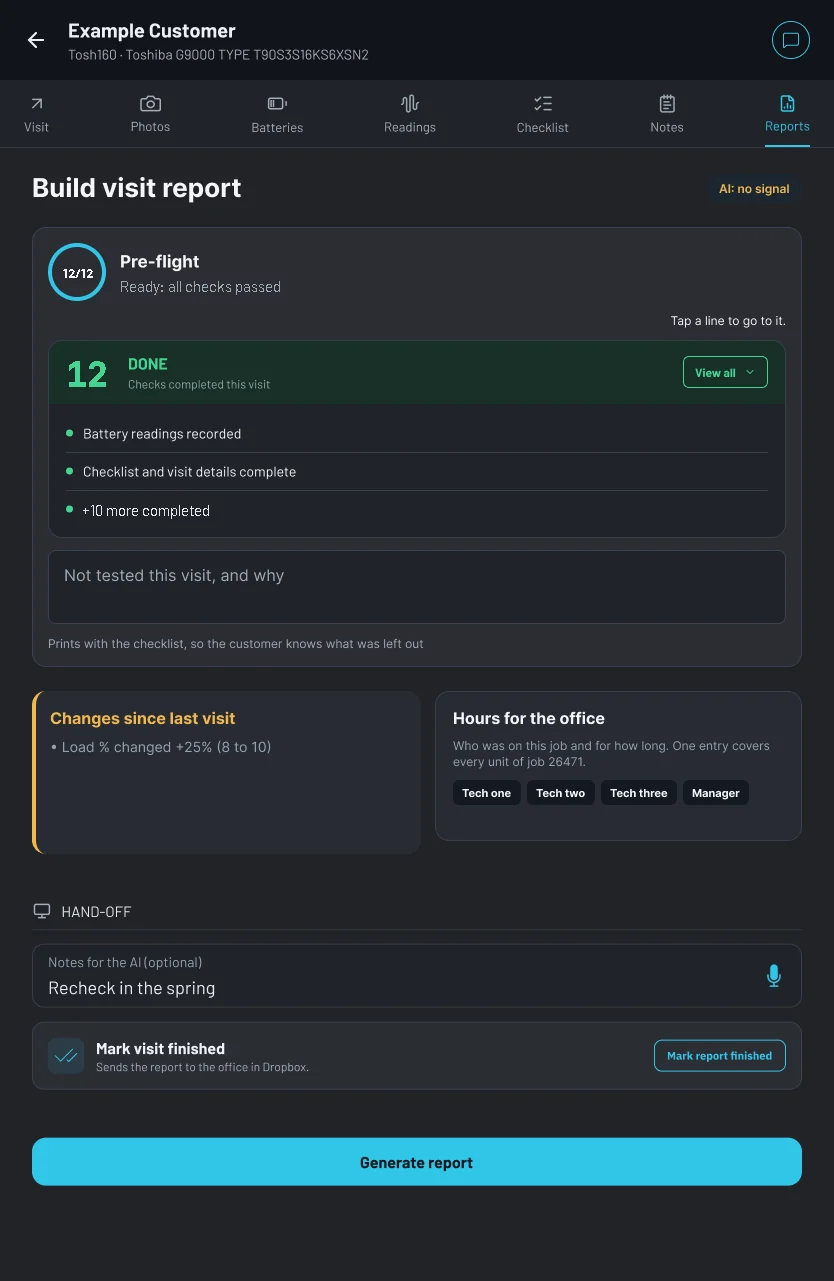
OHMEE brings together readings, service history, photos, and visit details as the technician works. When the site visit is complete, the report is ready in the Word format your clients already expect, with a PDF beside it, without rebuilding it back at the office.
- Compile readings, charts, photos, and service details automatically
- Generate reports in your existing branded Word format, plus a PDF
- Send completed reports and hours checklists to the office
See how it works
Watch how OHMEE connects your battery tester directly to a tablet. From there, readings turn into a client-ready report without exports, spreadsheets, or manual charts.
One simple plan. Priced like the day it saves.
A technician spends at least an hour on every report between the site and the office. OHMEE gives that time back.
or $790 billed yearly. $199/mo minimum per company.
- 7,000 reports of history, imported
- Tester over USB, photo reading, drafted notes, Word-exact preview
- The battery outlook on every unit, from your whole history
- Dropbox or OneDrive, work orders in, reports out
- Support from people who do PMs
Setup & Trial
Includes your custom Word template set up, history imported, 2 technicians invited, and 2 tablets on loan.
14 days from your first real report. Cancel anytime. Keep the loaner tablets or return them with the pre-paid label in the box.
Prices in USD. Cancel monthly plans anytime. Your history files stay safe in your Dropbox or OneDrive either way.
Frequently asked questions
Our reports look nothing like yours.
They should not have to. Send us one of yours and we set up your own Word template as part of onboarding. It takes us about a day, and your customers keep getting the report they already know.
Our techs are not computer people.
They do not need to be. A tech picks the unit on the tablet, plugs in the tester and taps Generate. The field guide is written for the truck, not the office, and the app will not build a report while a reading is missing or out of range, so a slip is caught on site instead of at the customer's desk.
Who can see our customer data?
You, and only you. OHMEE is an independent company, and no service company can see what is in your account. We put that in writing in your agreement. Every report is a Word file and a PDF that land in your own Dropbox or OneDrive, so your records stay where they have always lived.
What if OHMEE disappears?
You lose nothing. Your reports are already Word and PDF files in your own folders, and everything else, every unit, visit and photo, comes out as one archive whenever you ask. We would rather earn the renewal than hold your files.
We use a different tester.
Today OHMEE reads the IBEX-Pro over USB. The next tester we add will be the one our first customers ask for, so tell us which one you carry. In the meantime readings can be typed in by hand, and everything else in the report works the same.
Do the tablets need Word?
No. The report is built on the tablet, and the preview you see there is rendered by Word on our server. Any Android phone or tablet from 2018 on will do, and if you would rather not shop for one, we can send a preloaded tablet at cost.
See what faster reporting looks like for your team
Book a 30-minute walkthrough to see whether OHMEE fits the way your team works today.
- Choose a day and time: Pick a 30-minute slot in the calendar below
- Tell us a little about your team: Add a few details so we can make the conversation relevant to your workflow
Pick a time for the setup call there, or email hello@ohmee.app with your company name and which tester you use. $750 setup at the start; the subscription is free for 14 days from your first real report, on your own template.
Calendar not showing? Open the booking page.
While you wait, send us a recent service report here, so we can build your template before the call.
Send us a recent service report
So we can build your Word template before the call. Optional; you can also reply to our email with it. We reply within one working day.
Thanks. We have it.
We reply within one working day. From here:
- Your 30-minute setup call
Booked; the invite with the Google Meet link is in your email. We go over your reports, where your files live, and who your technicians are.
- Send a recent report
Reply to our email with a recent report, or attach it here. Word or PDF, up to 15 MB.
- We set up your template
We set up your Word template; your first real report on it is the trial.
What happens after that, step by step: Getting started.